3D Environment Art for UE5: Technical Considerations for AAA-Tier Projects
-

Written byDenys Zadoienyi
-

Updated on21.05.2026
-

Time to read13 min

- 3D Environment Art for UE5: What AAA Production Actually Requires
- Why “Nanite Ready” Is Not a Deliverable Spec
- 5 Technical Checks Before You Lock Your UE5 Environment Pipeline
- Where Lumen Breaks: The Hidden Cost in AAA Environment Lighting
- The Modular Kit Trap That Shows Up at Gate Review, Not Pre-Production
- Why Performance Budgeting Happens Too Late on Most UE5 Projects
- What AAA Environment Art in UE5 Looks Like at Nasty Rodent
- Nanite vs Traditional LOD: When Each Approach Wins in UE5
- Getting Your UE5 Environment Pipeline Right Before Production Starts
3D Environment Art for UE5: What AAA Production Actually Requires
A note on authorship: this is written by the environment and technical art team at Nasty Rodent. We build 3D environments for mid-core and AAA titles — projects like Squad, Ready Or Not, and Starship Troopers: Extermination. What follows isn’t a marketing document. It’s what we’ve learned shipping production assets into real UE5 pipelines.
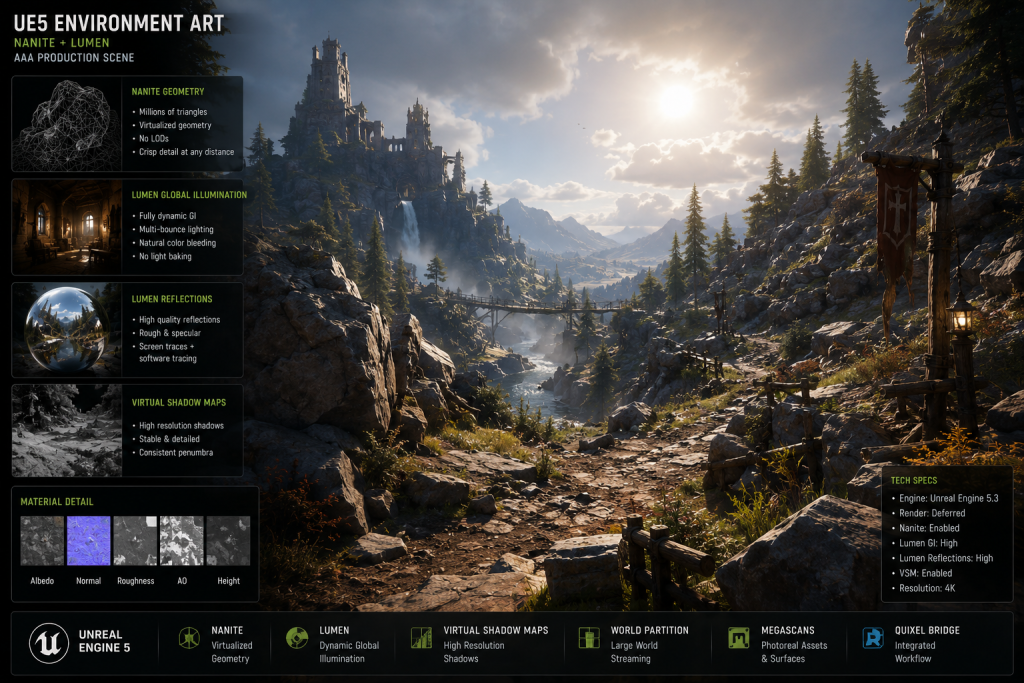
“Editorial illustration created for visual reference purposes. It does not represent a real project, client work, or official software screenshot unless stated otherwise.”
Most studios underestimate how much UE5 changes the job description for environment art. Not the aesthetic part — the technical part. You can enable Nanite with a checkbox. You cannot enable a coherent environment pipeline the same way.
The gap between “our team knows UE5” and “our team can ship AAA environment art in UE5” is measured in decisions that have to be made before production begins: how geometry is authored, how lighting interacts with asset construction, how a modular kit survives World Partition at scale, and what happens to frame rate when the scene finally hits console targets. Art directors who walk into a UE5 project without locking these decisions upstream encounter them at the worst possible moment — during milestone gate review, not during pre-production.
This article covers the technical considerations that actually matter. Not the marketing version of UE5’s capabilities. The production version.
Why “Nanite Ready” Is Not a Deliverable Spec
The phrase “Nanite-ready” appears in outsourcing briefs constantly. It sounds specific but rarely is. What makes a 3D environment asset production-ready for Nanite is a set of authoring decisions that happen before the mesh enters the engine — not a post-import toggle.
Nanite is a virtualized geometry system that automatically manages level of detail based on screen coverage, eliminating the need for hand-authored LOD chains on hard-surface geometry. That qualifier matters. Nanite handles opaque, solid meshes with high confidence. It handles translucent materials poorly — masked leaf cards, glass, and any material relying on opacity blending fall outside Nanite’s native rendering path. As Technical Artist Simon Verstraete documented in his breakdown of Nanite’s possibilities and drawbacks on 80.lv, Nanite has its own render pass and bypasses draw calls entirely — but that render path simply doesn’t accommodate transparency in the way traditional pipelines do.
On every UE5 project at our studio, we establish which asset categories go into the Nanite path and which don’t before a single mesh is modeled. For a typical AAA environment kit — terrain anchors, architectural shells, structural props — Nanite is the right call. For dense vegetation, the answer is hybrid: Nanite for trunks and structural branches, traditional LOD cards for leaves and fine ground cover. Treating Nanite as a blanket solution for all environmental geometry is the fastest way to accumulate technical debt that surfaces at the performance profiling stage.
One authoring constraint that’s consistently underestimated: Nanite meshes carry their own runtime data structures. Dense Nanite scenes have a meaningfully different VRAM profile than traditional instanced geometry. If your target platform has tight memory constraints — which AAA console targets almost always do — Nanite mesh budgets need to be negotiated in pre-production alongside polygon counts, not treated as a downstream concern.
A specific number worth establishing early on console targets: we aim to keep Nanite VisBuffer cost below 4ms at native 1080p at 60 FPS. That ceiling directly constrains how complex individual Nanite meshes can be and how many are active in a given streaming cell simultaneously.
5 Technical Checks Before You Lock Your UE5 Environment Pipeline
For an art director inheriting or designing a UE5 environment pipeline, these five decisions determine whether the pipeline holds at production scale. A producer will recognize the same items as the milestone risks that cause gate review failures.
1. Define the Nanite / non-Nanite boundary per asset category. Lock this in the technical brief before modeling begins. Every asset category — terrain, architecture, props, vegetation, decals — gets an explicit classification. Assets that cross this boundary mid-production generate rework that is hard to scope and harder to schedule.
2. Establish a Lumen budget before the first hero asset is lit. Lumen is a fully dynamic global illumination and reflections system that updates in real time as scene conditions change. That dynamic update has a GPU cost that scales with scene complexity — emissive surfaces, dynamic light sources, and highly reflective materials all increase the computational load. The art team needs to know this ceiling before set dressing decisions are made, not after the scene is fully assembled.
Our rule on projects targeting 9th-gen console: we run the Lumen performance profile at greybox stage, before any hero meshes are loaded. If the baseline overhead is above target at greybox, the lighting approach needs adjustment then — not when 200 dressed assets are in the scene.
3. Design the modular kit against the World Partition grid. World Partition breaks a single large world into automatically streamable cells loaded by player proximity. Modular pieces need to align to the partition grid, and asset density per cell needs to stay within the streaming budget. Environment prop kits carry the same constraint as larger architectural pieces — our 3D props pipeline on UE5 engagements documents this boundary for every asset category from the first production meeting. Designing a kit independently of the World Partition configuration, then adapting it after, consistently costs more than designing for it from the start.
4. Validate Virtual Shadow Maps compatibility early. Virtual Shadow Maps are the standard shadow solution for Nanite geometry in UE5, providing high-quality per-pixel shadows with effectively infinite draw distance from Nanite meshes. The performance trap: World Position Offset used for foliage animation constantly invalidates VSM shadow cache pages. This needs to be addressed in the asset authoring spec — specifying WPO Disable Distance on animated vegetation, and setting Shadow Cache Invalidation Behavior to Static on static actors — before assets are integrated, not discovered during profiling.
5. Audit texel density and UV layout standards per environment zone. Inconsistent texel density between assets is one of the most visible quality failures in shipped environment art and one of the most expensive to fix retroactively. For large-scale AAA environments, texel density standards need to be defined per zone — hero spaces, mid-ground, background architecture — and enforced through pipeline validation, not eye-checked at art review.
Did you know that…?
According to post-mortems from multiple AAA studios published in 2023–2024, UE5’s Nanite virtualized geometry reduces environment art production time by 40–60% compared to UE4 pipelines. The time savings come from eliminating manual LOD authoring for hard-surface assets. The catch: that time savings only materializes when the geometry authoring pipeline is set up correctly from the start. Studios that treat Nanite as a toggle rather than a workflow constraint typically see the opposite — additional QA cycles at integration, not fewer.
Where Lumen Breaks: The Hidden Cost in AAA Environment Lighting
Lumen eliminates lightmap baking cycles — a genuine production win, especially on large environments with dynamic time-of-day systems. On a project with a full day-night cycle, Lumen saves significant lighting bake time per major location. That’s real value.
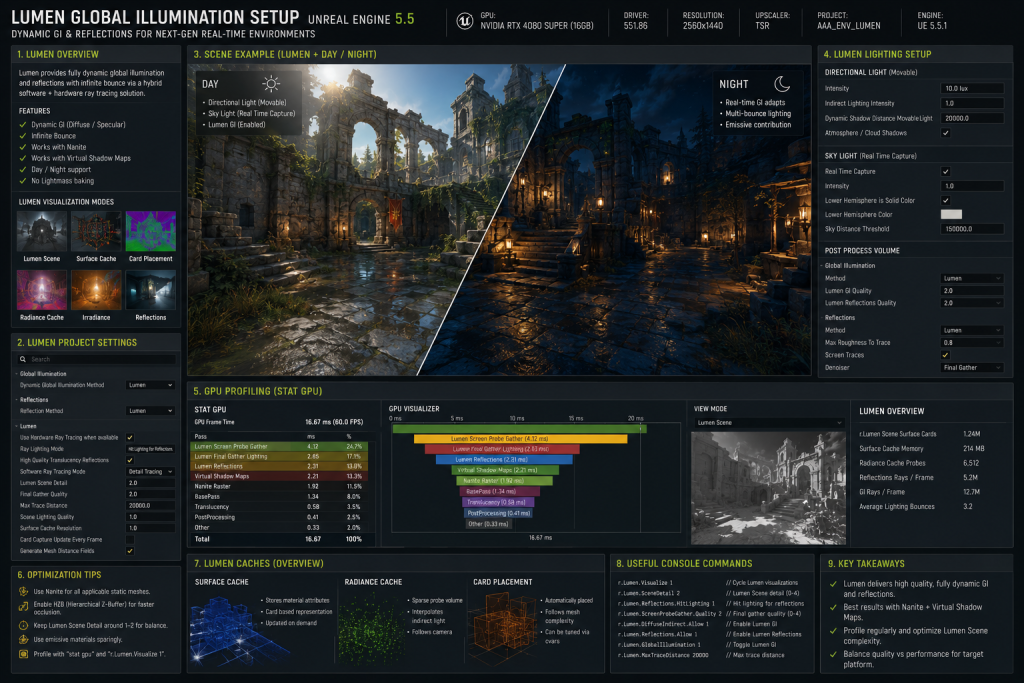
“Editorial illustration created for visual reference purposes. It does not represent a real project, client work, or official software screenshot unless stated otherwise.”
The complexity Lumen removes is replaced by a different kind of complexity: real-time performance management across platform tiers. This is the part that catches studios off guard.
Specifically: as documented in Epic’s Lumen Performance Guide for Unreal Engine, Lumen is disabled at Medium and Low quality scalability levels. At those settings, the fallback is Screen Space Ambient Occlusion or no global illumination at all. A fallback lighting setup is therefore not optional for any project targeting a hardware range below the High scalability level — it’s a mandatory specification. Skipping it means a meaningful portion of your audience experiences the environment without global illumination: flat, visually broken, and inconsistent with the art direction.
The practical implication for environment art: every material needs to be verified against both Lumen-on and Lumen-off rendering configurations. Materials that look correct with Lumen’s indirect light can appear flat or incorrect when Lumen is disabled. Catching this at individual asset review is a manageable QA task. Catching it across 200 environment assets during vertical slice is not.
This also affects how visual targets get established in pre-production. If the lookdev reference for the environment is built entirely against Lumen-on conditions, then the fallback reveal discrepancies that weren’t visible during concept art and visual development approval. Setting the visual target against both lighting modes before the look is locked is a pre-production step that consistently saves costly late revisions.

For producers tracking this as a milestone consideration: Lumen validation across scalability tiers is a QA task that needs to be formally scheduled, not assumed to happen passively. When it isn’t, the regression surfaces at certification.
The Modular Kit Trap That Shows Up at Gate Review, Not Pre-Production
Modular environment kit design looks like a pure art task. In UE5, it’s partly a technical architecture decision.
The core issue: traditional modular kits were designed for visual coverage and asset reuse efficiency. In UE5, they also have to be designed for streaming behavior, Nanite mesh density per streaming cell, and HLOD system compatibility. A kit designed purely for visual modularity may be technically clean at the asset level and still create streaming problems at scene scale.
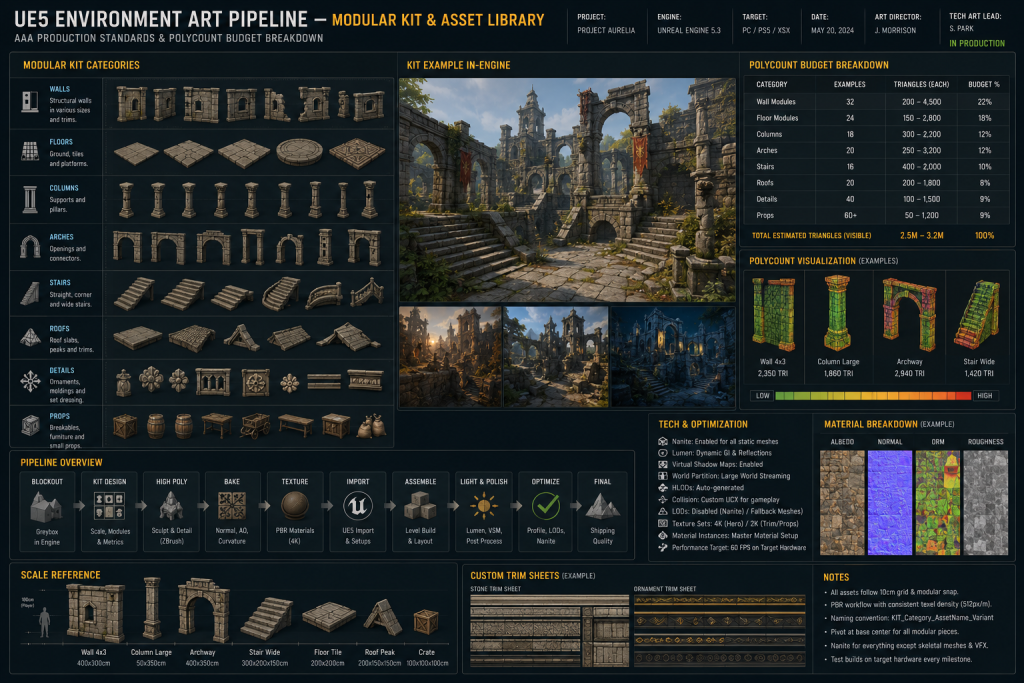
“Editorial illustration created for visual reference purposes. It does not represent a real project, client work, or official software screenshot unless stated otherwise.”
The specific failure mode we encounter most often: oversized anchor pieces that span multiple World Partition cells. When a piece straddles cell boundaries, it either loads with both cells simultaneously — increasing memory cost — or causes visible geometry pops when one cell loads ahead of the other. Neither is acceptable on AAA production. The correct approach is designing modular pieces that stay within a single partition cell, with explicit rules for anchor pieces that necessarily cross zone boundaries.
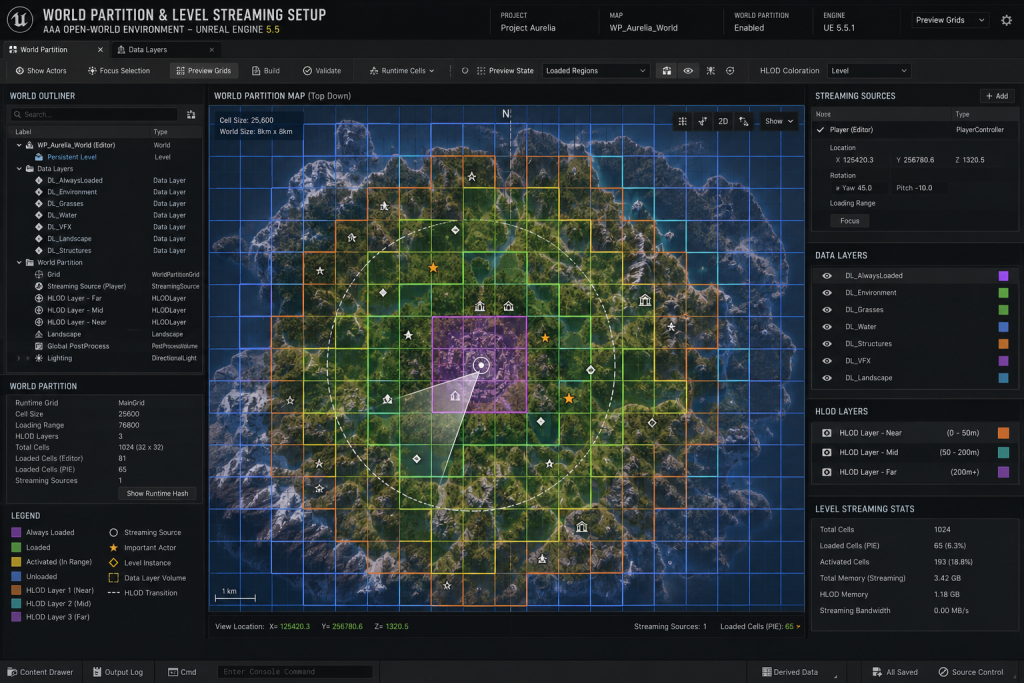
“Editorial illustration created for visual reference purposes. It does not represent a real project, client work, or official software screenshot unless stated otherwise.”
HLOD generation quality compounds this. According to Epic’s documentation, HLOD proxy quality depends directly on how consistently base geometry is authored. Assets with non-uniform pivot points, merged multi-material meshes, or overlapping UVs produce poor HLOD proxies that introduce visible quality issues at distance. Establishing HLOD authoring requirements in the asset spec prevents this category of problems that are very difficult to fix late in production.
On projects like Ready Or Not, where our team managed environment art integration into an established UE5 pipeline, the World Partition constraint was built into the first modular piece. For studios inheriting a kit designed without this consideration, retroactive rework is the only path. It’s expensive, and it reliably surfaces at gate review when the level is first assembled at scale.
Why Performance Budgeting Happens Too Late on Most UE5 Projects
Here’s the pattern: a studio designs a visually excellent environment. The asset work is technically clean. The hero pieces look exactly right in the editor. Then performance profiling on actual target hardware reveals the scene runs at 65% of the target frame budget, and reaching 100% requires stripping hero assets or rebuilding the lighting approach.
This happens because performance budgeting in UE5 is not a post-production concern. It’s a pre-production architecture decision. Three levers determine whether a UE5 environment hits its frame targets — and all three are set before any asset is completed:
Nanite geometry budget per streaming cell. How many Nanite triangles can be visible at peak scene complexity? This directly constrains prop density and architectural complexity per zone.
Lumen scene complexity budget. Lumen’s cost scales with emissive surfaces, dynamic light sources, and highly reflective materials. These need to be capped in the scene design spec before set dressing begins.
Draw call budget for non-Nanite assets. Transparency, particles, decals, and foliage cards still consume draw call budget the traditional way. On console targets, this budget is tighter than on PC. This constraint is shared across all content in the scene — from environment geometry to the 3D characters occupying the same rendering frame budget. Environment art specs that don’t break out draw call budgets for non-Nanite categories reliably hit this wall late.
At Nasty Rodent, performance budgeting conversations start at the technical brief stage. We establish per-zone polygon counts, Lumen scene complexity targets, and draw call ceilings before modeling begins. Studios that treat this as QA rather than design consistently spend more time and budget reaching their frame targets — usually in the final push when there’s no schedule buffer to absorb it.
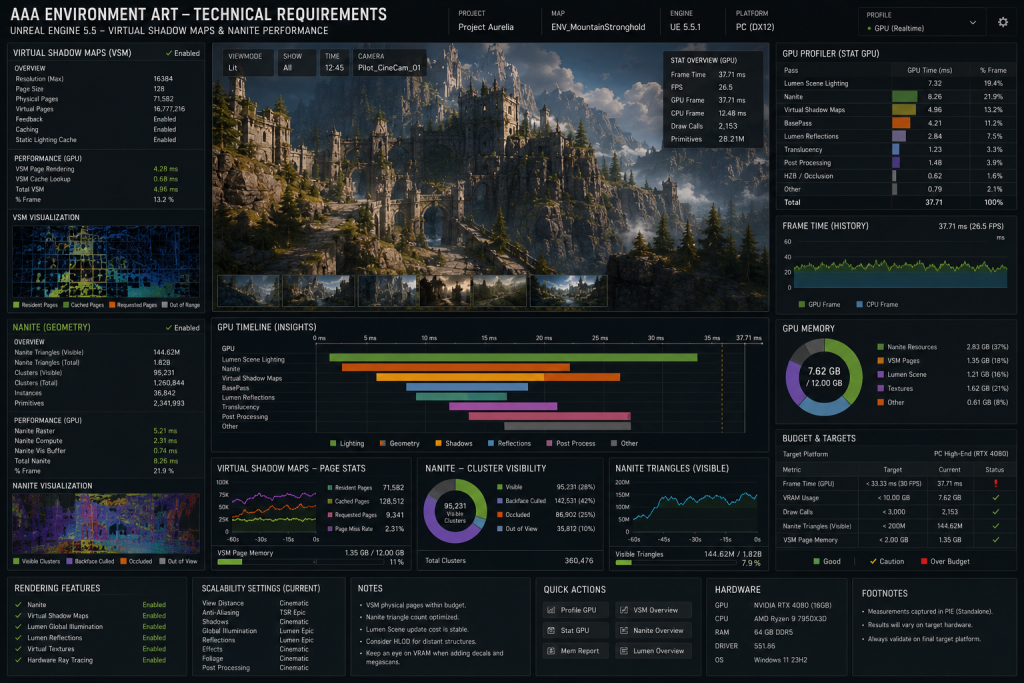
“Editorial illustration created for visual reference purposes. It does not represent a real project, client work, or official software screenshot unless stated otherwise.”
Planning a UE5 environment pipeline and want a technical review of your asset spec? We offer a free 48-hour spec evaluation for mid-core and AAA teams. Details at the end of this article.
What AAA Environment Art in UE5 Looks Like at Nasty Rodent
Nasty Rodent is a full-cycle game art studio where UE5 environment art is treated as a highly optimized gameplay ecosystem, not a backdrop of static meshes. With over a decade of production experience for studios including Saber Interactive and Remedy Entertainment, we deliver environments that balance cinematic scale with technical performance on target hardware.
From structural greyboxing and Nanite/Lumen budget optimization through modular kit-bashing to final world-building and engine integration, our team of 40+ specialists ensures your pipeline is coherent from first asset to gold master. Our work spans Squad, Ready Or Not, Mutant Year Zero, Starship Troopers: Extermination, and Miasma Chronicles. The full scope of these engagements is documented in our project portfolio.
What we bring to a UE5 environment engagement:
- Asset authoring specs with explicit Nanite / non-Nanite boundary per category
- Lumen budget validation at greybox stage, before hero assets
- Modular kit design aligned to the World Partition grid
- VSM and HLOD compatibility built into the authoring pipeline from day one
- Performance profiling on target hardware, not editor preview
Nanite vs Traditional LOD: When Each Approach Wins in UE5
| Consideration | Nanite | Traditional LOD |
| Hard-surface geometry | ✅ Optimal — automatic virtualized detail, no manual LOD chain | Requires manual LOD authoring per asset |
| Translucent / masked materials | ❌ Not supported — falls outside Nanite render path | ✅ Required for glass, foliage cards, decals |
| Dense vegetation (leaves, grass) | ⚠️ Hybrid approach — Nanite for structure, LOD cards for fine detail | ✅ Masked cards + HISM instancing |
| Terrain / landscape | ✅ Nanite Landscape supported in UE5.5+ | Legacy heightfield — valid for broader hardware range |
| VRAM profile | Higher — Nanite runtime data structures per mesh | Predictable — established LOD memory model |
| 9th-gen console support | ✅ Supported — requires per-scene profiling | ✅ Broader hardware compatibility |
| HLOD generation quality | High — consistent geometry produces clean proxies | Variable — depends on LOD authoring consistency |
| VSM shadow compatibility | ✅ Designed for Nanite — infinite draw distance | Works — no Nanite-specific draw distance benefit |
Comparison reflects UE5.4–5.7 production experience. For more technical UE5 environment coverage, see the Nasty Rodent blog.
Getting Your UE5 Environment Pipeline Right Before Production Starts
The decisions covered in this article — Nanite geometry boundary, Lumen budget, World Partition kit alignment, VSM compatibility, performance budgeting — are pre-production architecture decisions. Making them mid-production is the technical equivalent of redesigning a building’s structure after the walls are up.
The studios that ship AAA environment art on UE5 on schedule are consistently the ones that treated the engine as a system to be designed against, not a toolset to be used. The spec defines the constraints. The constraints define the pipeline. The pipeline defines what the art team is actually doing when they sit down to model.
If you’re planning a UE5 environment pipeline and want a second opinion on your asset spec or pipeline architecture before committing to production, we offer a free 48-hour technical review. No sales call required.
Start the conversation at nastyrodent.com/3d-environment/ →