UI and UX Design for Games
Nasty Rodent designs game interfaces that survive contact with a build — HUDs, menus, inventories, onboarding flows and diegetic screens. Designed for the input your players actually use, the languages you ship in, and the engine your team works in.
Game UI as a production system,
not a mockup
A game interface is finished when it works on a gamepad, holds up in German and Japanese, stays readable on a Steam Deck and on a 4K television, and hands over to an engineer without a translation layer. A beautiful Figma file that fails any one of those is unfinished work.
We design HUDs, menus, inventories, map and progression screens, onboarding and FTUE flows, store and settings interfaces — for PC, console and mobile. Every layout is built against real constraints: input method, string length, safe areas, resolution scaling and accessibility requirements.
And because Nasty Rodent is a 3D studio with a UI team rather than a UI shop, diegetic and spatial interfaces are something we can take all the way — from the decision about which UI type fits, through the model, material and shader, into the engine.
Realistic UI
Grounded interfaces for realistic and AAA games — restrained palettes, functional typography, and HUDs that stay readable under pressure without breaking immersion. Built for the input your players actually use and the engine your team works in.
A realistic interface belongs to the world rather than sitting on top of it: menus, inventories and readouts matched to the game's art direction, with the design system and states a team can build on after hand-off.
Stylized UI
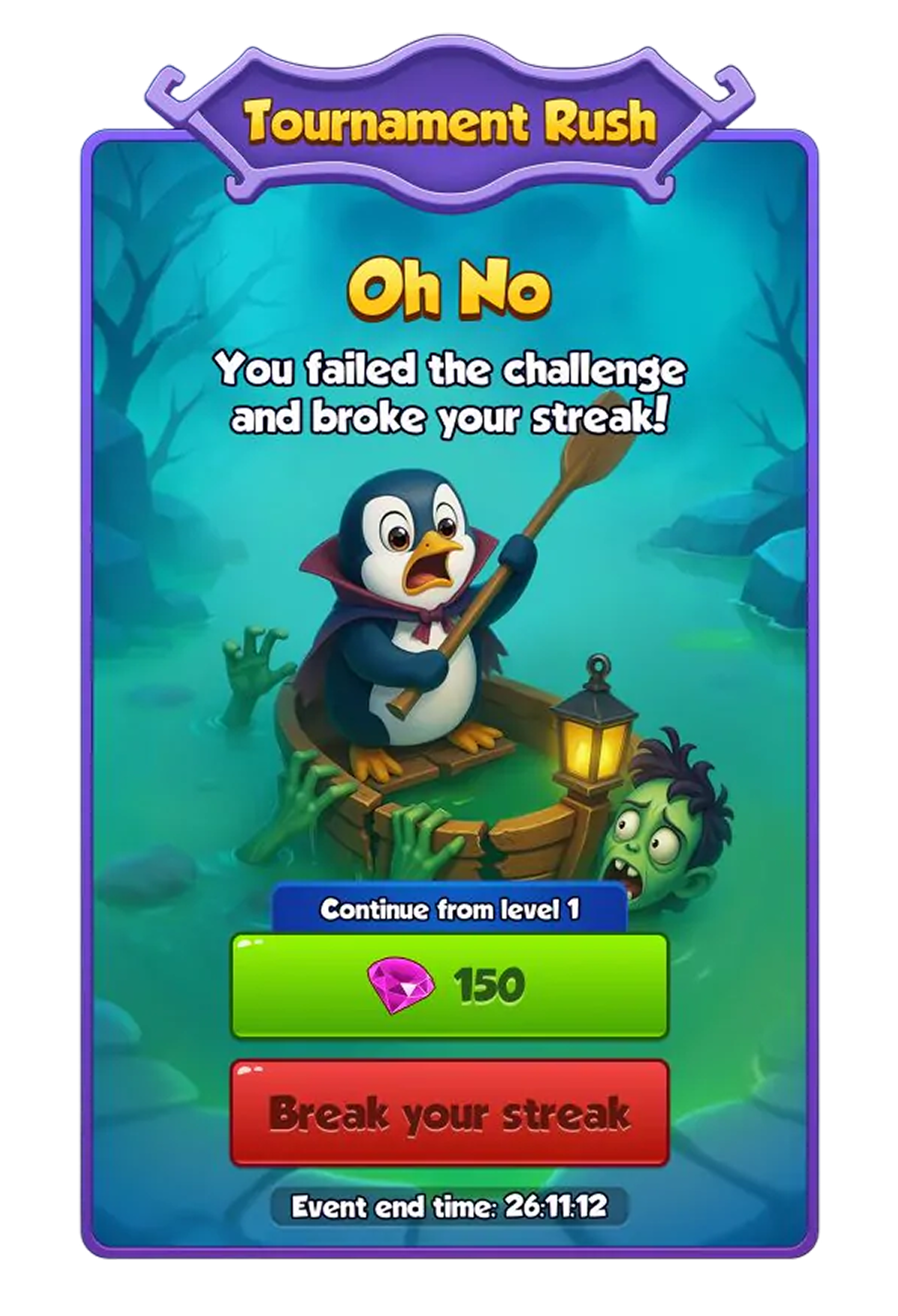
Bold, characterful interfaces for casual, mobile and stylized games — expressive iconography, strong colour and shape language, and layouts that stay readable at small scale and under one-handed use.
Stylization is a rule set, and the rules usually already exist in your project. We take your game's art bible as the guide so menus, HUDs and stores feel like part of the same world, not a template dropped over it.
CASE
Selected production case: Wave Master
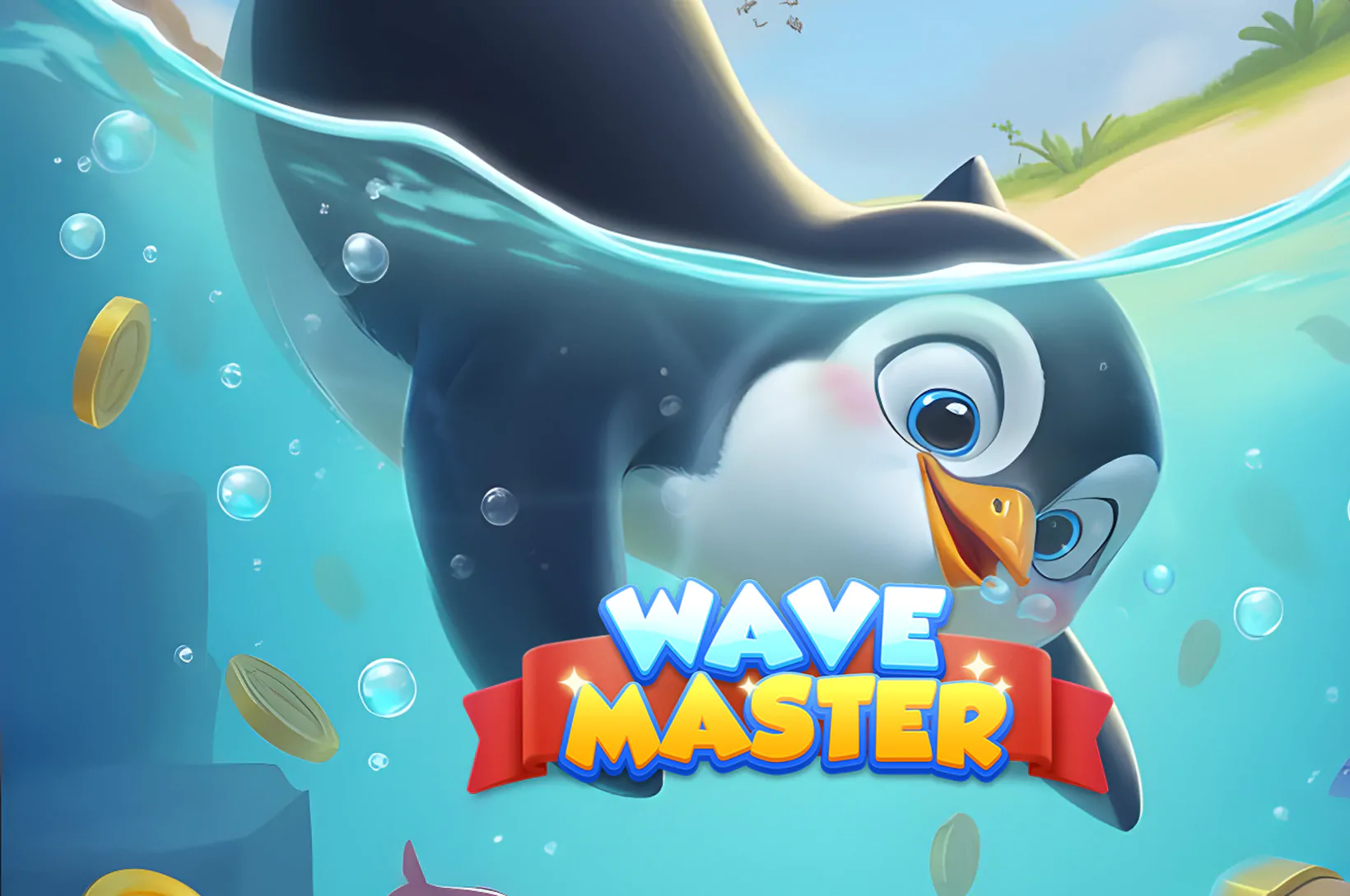
WAVE MASTER
Nasty Rodent partnered with Banner Games to develop the game's UX/UI design and create the supporting graphic assets. On this project the interface was not one workstream among several — it was the work.
Platforms, engines and performance budgets
If your project targets more than one platform, the design system is built for the differences from the start. Retrofitting a mouse layout for a controller is the most common way a UI budget doubles.
-

PC and console
Gamepad-first navigation, focus states, safe areas, overscan and certification-aware layouts. Console UI is designed from the input outward, not adapted from a mouse layout. Mouse and keyboard, ultrawide and multi-resolution scaling, dense information layouts, and the settings depth PC players expect.
-
Unreal Engine
Interface delivered for Unreal Engine UI: layered sources, exported assets with every state, scaling and anchoring notes, and in-engine checks on the target platform.
-
Mobile
Thumb reach, hit-area minimums, one-handed use, notches and cutouts, and the performance cost of overdraw in a UI-heavy screen.
-
Unity
Interface delivered for Unity UI: layered sources, exported sprites with every state, scaling and anchoring notes, and checks in your project structure.


-
Other services
The studio provides full quality control - all tasks in development are controlled by internal lead artists and managers.
-
3D Weapons
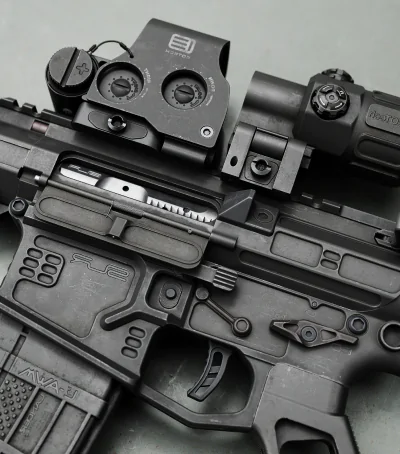
From melee to sci-fi blasters — we craft detailed and functional weapon models with proper topology, textures, and LODs for all game types and platforms.

-
3D Characters
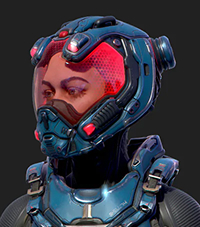
From stylized heroes to realistic NPCs, our 3D character models include clean topology, UVs, and rigs — ready for animation and real-time engines.
-
3D Environment
We build immersive 3D environments that set the tone and mood of your game. From stylized fantasy worlds to realistic battlefields — our scenes are optimized and ready for gameplay.
-
3D Prop
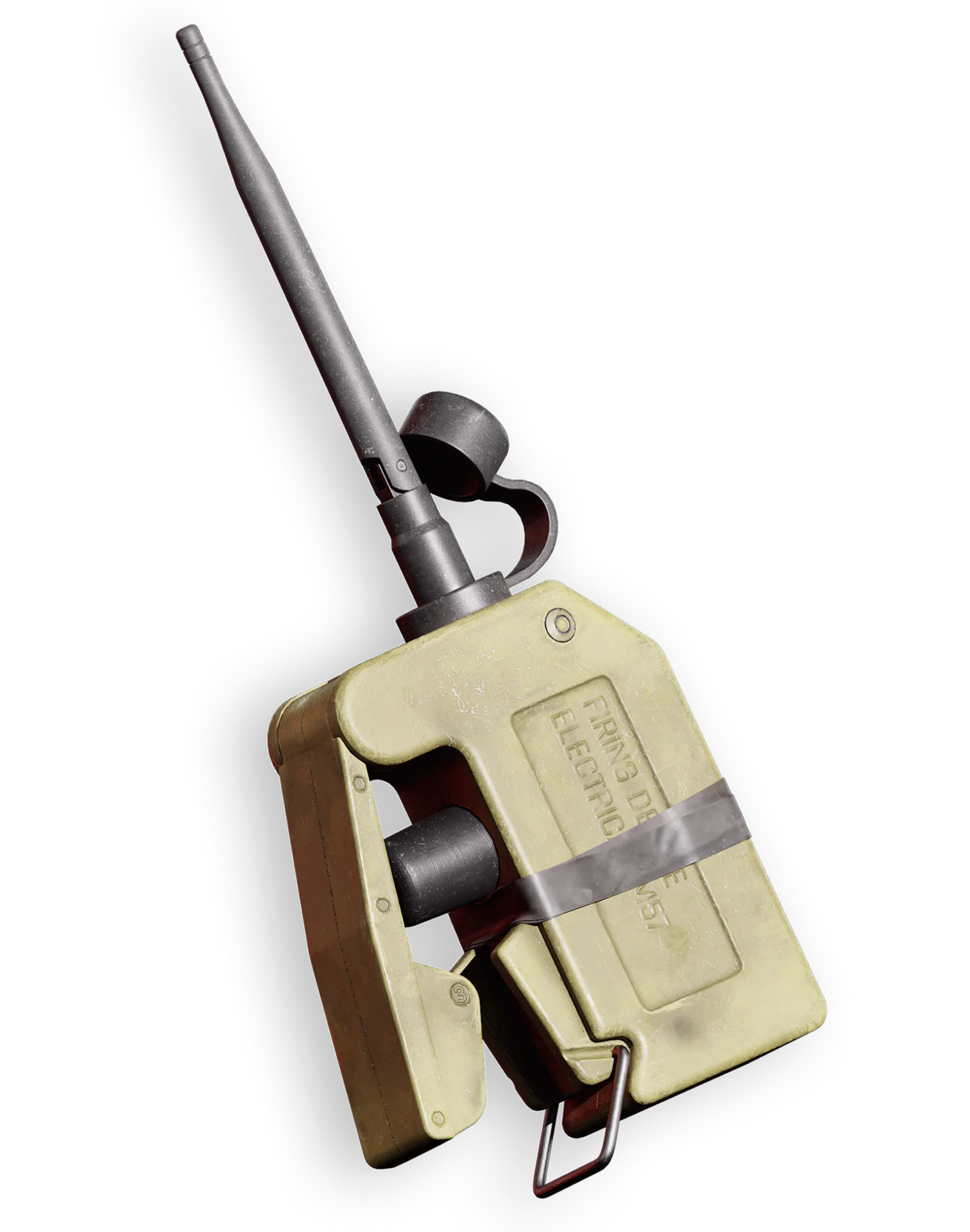
High-quality game-ready prop production with a focus on accuracy, clean topology, and efficient optimization. We create detailed hard-surface and organic props that meet technical requirements, maintain consistent style, and integrate seamlessly into any game environment.
-
Concept art
We design visual foundations with concept art and polished 2D assets. Characters, environments, and UI — everything starts with a strong visual idea.
-
3D VEHICLES
Realistic or stylized 3D vehicles for land, air, or space. We model drivable and modular vehicles that fit perfectly into your game’s style and performance needs



What we need
to estimate
your project
-
01
Screen list or feature list
Even rough — it defines the scope shape
-
02
Platforms and input methods
Gamepad support is a design discipline, not a checkbox
-
03
Target languages
Localization-ready layouts are designed differently from English-only ones
-
04
Engine and required output
Mockups, exported assets, or assembled UI in UMG / UI Toolkit
-
05
UI types in scope
Diegetic and spatial elements involve 3D production
-
06
Existing design system or art bible
Extending rules is far faster than defining them
-
07
Accessibility requirements
Certification or publisher standards you have to meet
-
08
Existing UI to replace or extend
Redesign and greenfield have different risks
-
09
Deadline
A fixed date changes team size, not just schedule
Start
gnawing
Hand us
your game
Nasty Rodent is a game art outsourcing studio that sinks its teeth into projects of any scale — from scrappy indie builds to full AAA worlds. We craft 3D characters, environments, weapons, props, concept art, and game UI/UX that power real gameplay and immersion. Ten years deep, 40+ artists strong, zero fluff. Bring us your game and get a free, no-pressure estimate tailored to your budget.
our teeth in
How we can work together
What You’ll Get
-
[ 1 ]
PROJECT-BASED
- A defined scope with a defined outcome: a UI overhaul, a screen set, an onboarding flow, a design system. You approve the scope and milestones, we deliver against them.
-
[ 2 ]
ONGOING SUPPORT
- A team that stays with the project as the game grows. UI is the part of a game that changes most after launch — every new feature needs screens, and every screen has to obey rules set months earlier.
-
[ 3 ]
OUTSTAFFING
- Our designers work inside your pipeline, tools and management. You direct day to day; we handle employment, replacement and cover.
The stack of technologies we use


-
Your UI/UX team
One team that carries an interface from the UX decision to the engine — so what you get is a system your team can build on, not a Figma file someone still has to rebuild.
-
Art Director
Owns how the interface looks and how it belongs to the game's world: the type system, iconography, colour, and the review that keeps UI consistent with the art bible.
-
Project Manager
Holds the screen list, the milestones and the schedule, and makes sure platform, language and accessibility requirements are agreed at the brief instead of surfacing at certification.
-
Lead UX Designer
Owns information architecture, flows and interaction states, including gamepad traversal.
-
UI Artist
Turns the resolved structure into the visual layer: typography, iconography, panels and states, matched to your art bible and built as reusable components.
-
3D Artist (diegetic UI)
Produces in-world screens, displays and instruments as actual 3D assets.
-
Technical Artist
Owns handoff and constraints: exported atlases, 9-slice panels, focus order, safe areas and the engine-ready setup your team receives.


Reviews from our satisfied customers


Join Customers
We've been working with Nasty Rodent since 2014 - and that says it all. On the Skies project, they delivered an entire 4 km² location with full content: props, buildings, NPCs, mobs. They took the task and just got it done. High quality, on time, no fuss. This is a studio you can trust.
03.03.2025
Nasty Rodent supported our large-scale game art production with 15+ specialists across props, characters, environments, weapons, concept art, and vehicles. They also helped structure pipelines, managed art direction, and coordinated the art team. A well-organized, reliable production partner with strong execution and clear communication.
01.06.2026
FAQ:
Game UI and UX Design
What is UX/UI design in game development?

Game UX is how a player finds, understands and acts on information. Game UI is the visual and interactive layer that carries it. In production they are inseparable: a beautiful interface a player cannot navigate on a controller has failed, and so has a clear one that belongs to another game.
Game UI/UX work covers:
- Information architecture and screen flow
- Interaction design and state behaviour
- Visual design, typography and iconography
- Platform and input adaptation
- Accessibility, localization and engine handoff
What types of game interfaces do you design?
HUDs, main and pause menus, settings, inventories, loadouts, skill trees, maps, stores, onboarding and FTUE flows, and in-world diegetic screens. For PC, console and mobile, in realistic and stylized directions, matched to your existing art bible.
Common requests:
- A full UI pass for a launch build
- A platform port — usually mouse-designed UI rebuilt for a controller
- Onboarding and FTUE redesign to reduce first-session drop-off
- A design system so an internal team can keep building
- Diegetic and spatial interfaces requiring 3D production
What is diegetic UI, and can you produce it end to end?
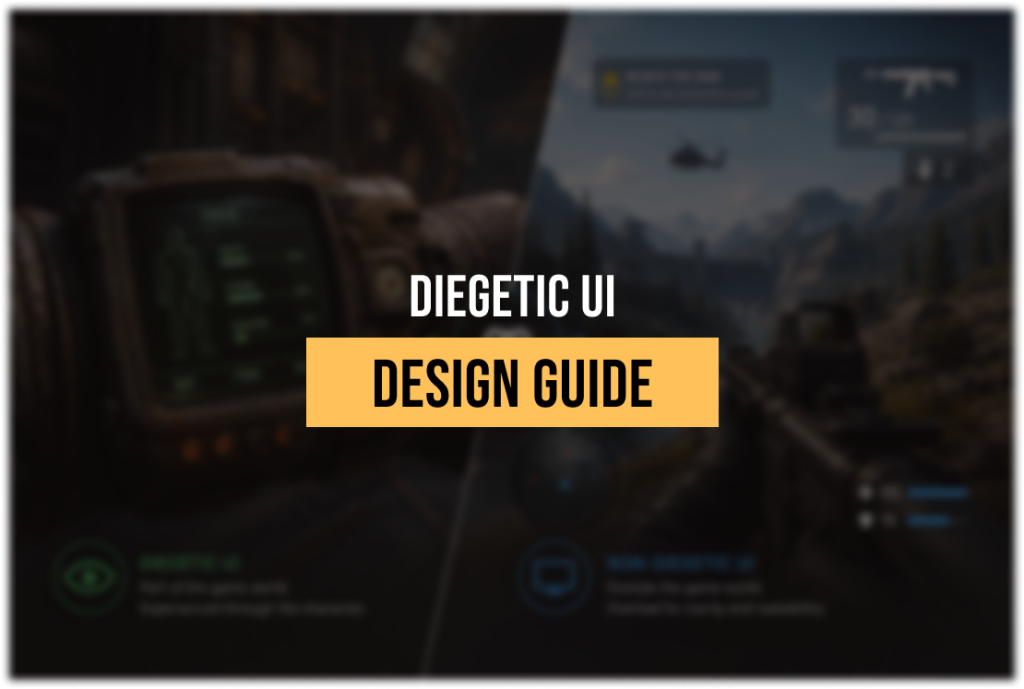
Diegetic UI exists inside the game world — a display on a suit, a screen on a wall, a gauge on a weapon. Both the player and the character can see it. Yes, we produce it end to end, because it is 3D work: geometry, materials, shaders and engine integration, not a layout file.
Why that matters when choosing a vendor:
- A UI studio delivers the design and stops at the 3D boundary
- Diegetic elements need modelling, materials and lighting integration
- Readability has to survive world lighting, distance and camera angle
- We handle the design decision and the asset in one team
Related: Diegetic and non-diegetic UI in games
Do you design for gamepad and console navigation, not just mouse and touch?
Yes, and it is designed in from the wireframe stage rather than adapted afterwards. Controller UI needs a defined focus order, visible selection states, sensible shoulder-button tabbing and no element a player can get stranded on. Retrofitting a mouse layout is the most common way a UI budget doubles.
What we define for gamepad:
- Focus order and traversal path across every screen
- Selection, hover-equivalent and pressed states
- Shoulder-button tab structure for grouped screens
- Safe areas and overscan for television output
- No unreachable or orphan interactive elements
Can you match our existing visual identity and art bible?
Yes — extending an established interface is our most common assignment. Send your art bible and current screens, and we reverse-engineer the rules: type scale, spacing, panel treatment, iconography logic, colour roles and state behaviour. New screens then extend the system instead of sitting beside it.
What we ask for:
- Your art bible or UI style guide, if one exists
- Source files for two or three existing screens
- Screenshots in your actual in-game presentation
- The engine and the way UI is currently assembled
How do you handle localization — string expansion, CJK and RTL?
Layouts are designed to absorb the longest language you ship in, not to fit English. German commonly runs about a third longer; CJK changes line-breaking and density; RTL languages need mirrored layouts. Deciding this at wireframe stage costs nothing — discovering it at localization costs a redesign.
What we design against:
- Text containers sized for the longest target language
- Line-break and density behaviour for CJK
- Mirrored layouts where an RTL language is in scope
- Icon-plus-label patterns that survive translation
- No text baked into images that would need re-export per language
How do you handle accessibility — colour, text size and subtitles?
Accessibility is designed in rather than added at the end, because most of it is free at wireframe stage and expensive afterwards. Information is never carried by colour alone, text sizing is planned as a system rather than a multiplier, and subtitle presentation is treated as a designed element.
What we check as standard:
- No state or meaning communicated by hue alone
- Contrast checked against the game's actual backgrounds, not white
- Deuteranopia and protanopia simulation on critical screens
- Text scaling that reflows layouts rather than overflowing them
- Subtitle size, contrast, background plates and speaker attribution
What do you hand over to your engineers — mockups or engine-ready assets?
Standard handover includes:
- A design system with components and every state
- Exported assets: atlases, 9-slice-ready panels, icon sets at required densities
- Specifications for spacing, states, animation timing and gamepad focus order
- 3D assets, materials and shaders for diegetic and spatial elements
How much does game UI/UX outsourcing cost?
Cost is driven less by screen count than by platform, languages and required output. Forty screens for a single-platform English release and forty screens for a multi-platform, multi-language title with gamepad support and in-engine assembly are different projects. We quote per project after a brief.
What moves the number most:
- Platforms and input methods in scope
- Target languages and localization requirements
- Whether we deliver mockups, exported assets or assembled UI in engine
- Whether diegetic or spatial elements require 3D production
- Whether a design system exists or has to be created
How do you ensure usability and player comfort?
By designing against constraints rather than validating afterwards. Focus order, hit areas, reading distance, information hierarchy under time pressure and the longest-language layout are resolved at wireframe stage. Where a project allows, we also review the interface in the game's real presentation rather than on a neutral background.
Practical checks we run:
- Legibility at the player's actual viewing distance, television included
- Critical information readable within a half-second glance
- Gamepad traversal walked end to end, screen by screen
- Layouts reviewed in the longest target language
- Contrast and colour checked against real in-game backgrounds
Not sure where to start
or worried about
the estimate?
No pressure — just send us your idea or a rough brief, and we'll get back with a free consultation and a flexible estimate tailored to your goals.
- Transparent pricing
- Honest feedback
- No hidden costs - ever