Props Asset List Worksheet: A Free Template for Estimate Requests
-

Written byDenys Zadoienyi
-

Updated on04.11.2026
-

Time to read5 min
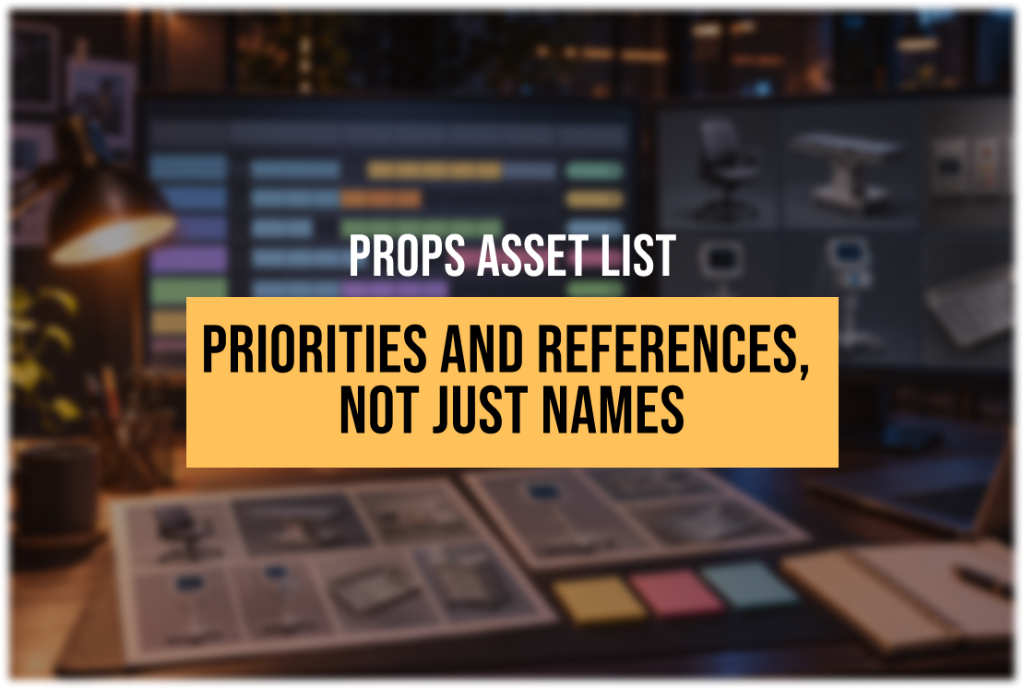

This game asset list template is built for one job: listing the 3D props you need before you ask a studio for an estimate. It gives a producer a shared workbook the team can fill in, so the request arrives with categories, priorities, style targets and references rather than a list of names.
“Editorial illustration created for visual reference purposes. It does not represent a real project, client work, or official software screenshot unless stated otherwise.”
Use this workbook to prepare an estimate request: what needs to exist, its priority, its visual target and the decisions still open. It does not track production progress or calculate a price.
What’s Inside the Worksheet
The workbook has three sheets. How to Use explains the filling order, suggested responsibilities and the example rows. Project records the context shared by the whole list: engine and version, target platforms, technical and style references, conventions, reviewers, the cooperation model you have in mind and the target milestone. Asset List holds the props you want the studio to estimate.
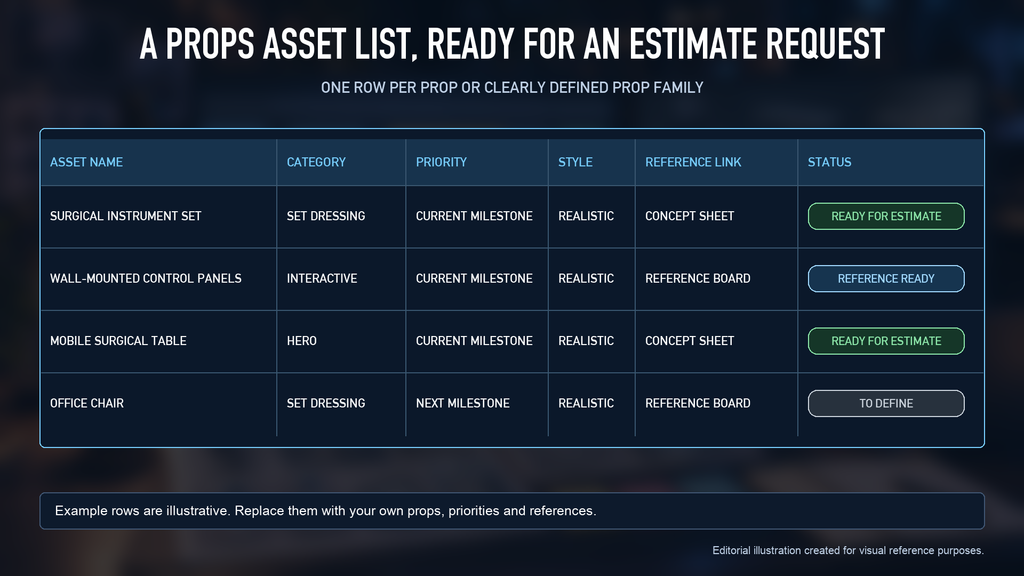
The Asset List sheet has one row per prop or clearly defined prop family, with drop-down lists for recurring values:
| Column | What to enter |
| Asset name | The name used in your design document |
| Category | Hero, interactive, set dressing, clutter, modular kit piece or kitbash source |
| Priority | Needed for the current milestone, the next one, or later |
| Style | Realistic or stylized |
| Style target | A link to the asset, board or document that defines the look |
| Reference link | A reference board, a concept or an existing asset in your build |
| Intended use | Close view, interaction or background |
| Technical notes | Your project’s requirements in your own words: collision, pivots, conventions, family contents |
| Open questions | Anything that is still undecided |
| Status | To define, reference ready, ready for estimate or on hold |
| Owner | The person responsible for the row |
Start with an asset name, category, priority, style, reference link and status. Use the remaining columns to clarify intended use, technical requirements and open decisions. Choose the primary category and intended use; if a prop serves more than one role, record the additional requirements in Technical notes.
Who Fills In Which Columns
“Editorial illustration created for visual reference purposes. It does not represent a real project, client work, or official software screenshot unless stated otherwise.”
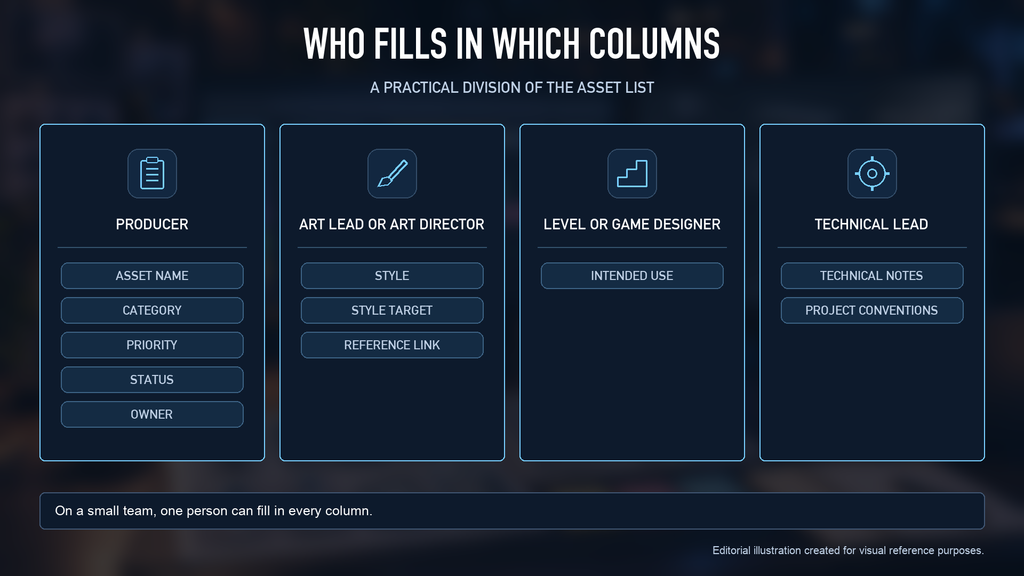
A practical division of responsibility is:
- Producer: asset names, category, priority, status and owner, and keeping the list current.
- Art lead or art director: style, style target and reference links.
- Level or game designer: intended use.
- Technical lead: technical notes and the conventions on the Project sheet.
On a small team, the same person may fill in every column. If a row has unresolved requirements, set its Status to “To define” and describe the missing decisions in Open questions.
The list travels with your brief rather than replacing it. Our guide to briefing a game art studio for UE5 production covers what the brief itself should say.

Example Rows
The sample rows use object types shown on our Starship Troopers: Extermination case page. All other entries are illustrative: categories, priorities, style labels, intended use, notes, owners, reference placeholders and statuses show how to fill in the template. They do not describe the project’s production data or confirmed gameplay behavior.
| Asset name | Category | Priority | Style | Reference link | Status |
| Surgical instrument set | Set dressing | Current milestone | Realistic | Concept sheet | Ready for estimate |
| Wall-mounted medical control panels | Interactive | Current milestone | Realistic | Reference board | Reference ready |
| Mobile surgical table | Hero | Current milestone | Realistic | Concept sheet | Ready for estimate |
| Office chair | Set dressing | Next milestone | Realistic | Reference board | To define |
| Medical platform with scanner | Hero | Next milestone | Realistic | Concept sheet | To define |
| Stationary monitors on stands | Set dressing | Later | Realistic | Existing asset in build | On hold |
Replace the reference placeholders with accessible links to your own material, and clear the sample entries before sending the workbook.
Use one row for a single prop, or for a clearly defined family that will be estimated together. For a family, list the included objects and any required differences in Technical notes. State shared-material requirements explicitly; grouping alone does not define them. The summary on the Project sheet counts list entries, not individual props or production workload.
From Asset List to Kit Count
“Editorial illustration created for visual reference purposes. It does not represent a real project, client work, or official software screenshot unless stated otherwise.”
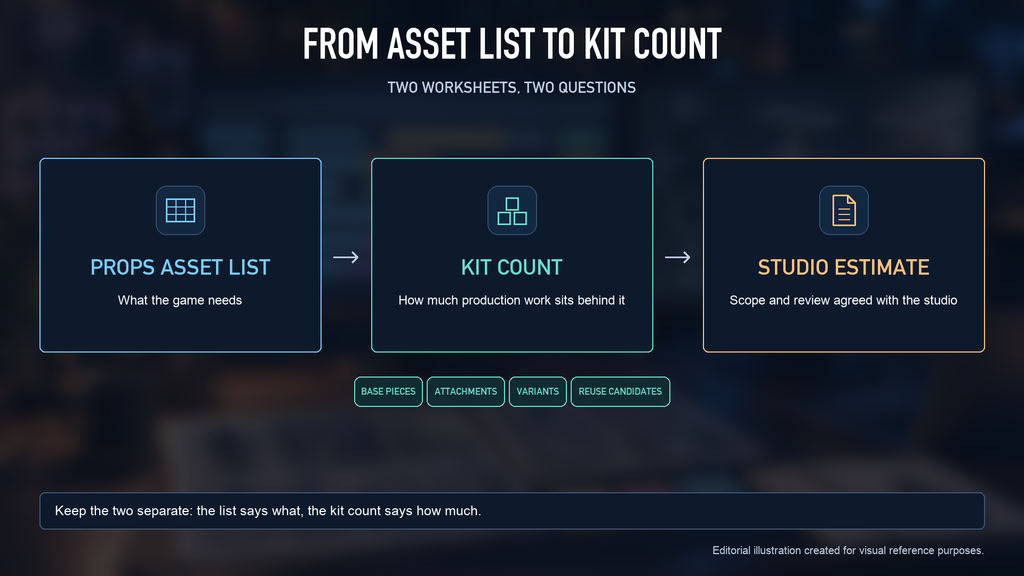
Use this downloadable workbook to prepare the list. Then use the on-page worksheet in our guide to props and weapons scope estimation to break entries down into base pieces, attachments, variants and reuse candidates.
Keep the two separate. The asset list says what the game needs; the kit count says how much production work sits behind it.
What Happens After You Send It
Our 3D props outsourcing team reads the list together with your references, style target, technical specification and any existing assets. We may ask you to clarify unresolved rows before preparing a more detailed estimate or agreeing on production scope. The initial consultation is free, and we usually reply within 1–2 business days.
To see the kind of production props behind the example rows, browse our realistic props portfolio.
Get the Worksheet
Already have a list? Email your completed worksheet and references to sales@nastyrodent.com to request an estimate. You can also use our contact form to describe your project.
Let's work
together

in mind?
From 3D characters and environments to weapons, props, concept art and game UI/UX: ten years deep, 40+ artists strong, zero fluff. Tell us what you are making and get a free, no-pressure estimate.
estimate