How a Large Studio and a Props Partner Split a Level’s Props
-

Written byDenys Zadoienyi
-

Updated on18.11.2026
-

Time to read14 min

- The Split Follows the Level, Not Only the Asset Type
- Brief and Blockout: Hand Over a Prop List Before Any Modeling
- Production Concepts: Calibrate One Themed Set First
- Final Assets: Run Two Streams Without Blocking Each Other
- Set Dressing: When the Partner Works Inside the Level
- Polish and Lighting: Close the Boundary Before the Milestone
- A Level’s Props, Split: A Filled-In Example
- Our Approach
- Planning Props for a Level?
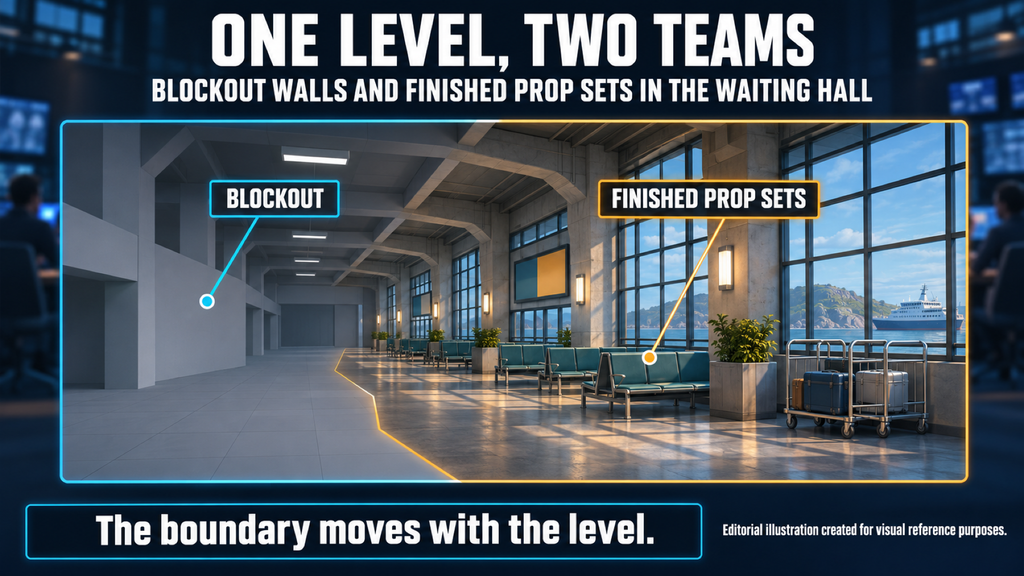
Splitting a level’s props between your environment team and a props partner works best when the boundary moves with the level, instead of being fixed once by asset type. Bring the partner in too early, and they can end up modeling props the blockout later removes. Bring them in too late, and they may dress a level without the rules your team has already set.
“Editorial illustration created for visual reference purposes. It does not represent a real project, client work, or official software screenshot unless stated otherwise.”
A level’s props split is the decision, made at each stage of the level, about what the studio’s environment team builds, what the props partner builds and what passes between them: the prop list, approved references, a calibration set, finished batches and, where agreed, placement inside the level itself.
To keep the advice concrete, every stage below follows one fictional level: a coastal ferry terminal with a waiting hall, a ticket hall and a boarding pier. The full split for that level is summarized in a table near the end.
The Split Follows the Level, Not Only the Asset Type
A rule that often appears in outsourcing advice – keep hero and gameplay props in-house, send clutter out – tells you what to share, but not when. The level’s stage decides what a partner can start without waiting.
As a starting point, the rule makes sense. Props that players interact with, that block movement or that carry the art direction depend on decisions the studio owns, and they keep changing while the level changes. Background dressing and repeated equipment depend less on those decisions. What the rule leaves out is time: the same prop can be too early to hand over while the layout is moving, and ready to hand over once it settles.
In 80.lv’s breakdown of environment production stages, Daniel McGowan, then a senior environment artist at Amazon Game Studios, follows a level from its brief through key art and map layouts, a design blockout, a proxy phase, production concepts and final assets, to polish and set dressing, with lighting passes along the way. It is one team’s sequence, not an industry standard, but it is a useful map for deciding when an outside team can work without waiting for yours.
If you are the producer, a wrong boundary shows up as idle time on one side: the partner waits for a layout, or the level team waits for props it could have had earlier. At each stage, ask what the partner can start now and what still depends on a decision your team has not made.
This article stays with how the split moves through one level. Contracts, communication and review cadence belong to the operating model for working with a props studio, which applies to every level you hand over.
| Split by asset type | Split by level stage | |
| What decides the split | The kind of prop: hero, gameplay, set dressing, clutter | What the level has settled at each stage |
| What the partner starts with | Set dressing and clutter | References and the prop list, then one calibration set |
| When the partner’s share grows | It stays fixed | After the blockout settles, and again at set dressing if agreed |
| Who places props | Usually the studio | The studio, or the partner under agreed access and approval |
| Main risk | Props built before the layout settles, or dressing done without the rules | More coordination at each stage boundary |
The two views work together rather than compete: the asset type tells you which props can move to a partner, and the level stage tells you when.
Brief and Blockout: Hand Over a Prop List Before Any Modeling
“Editorial illustration created for visual reference purposes. It does not represent a real project, client work, or official software screenshot unless stated otherwise.”
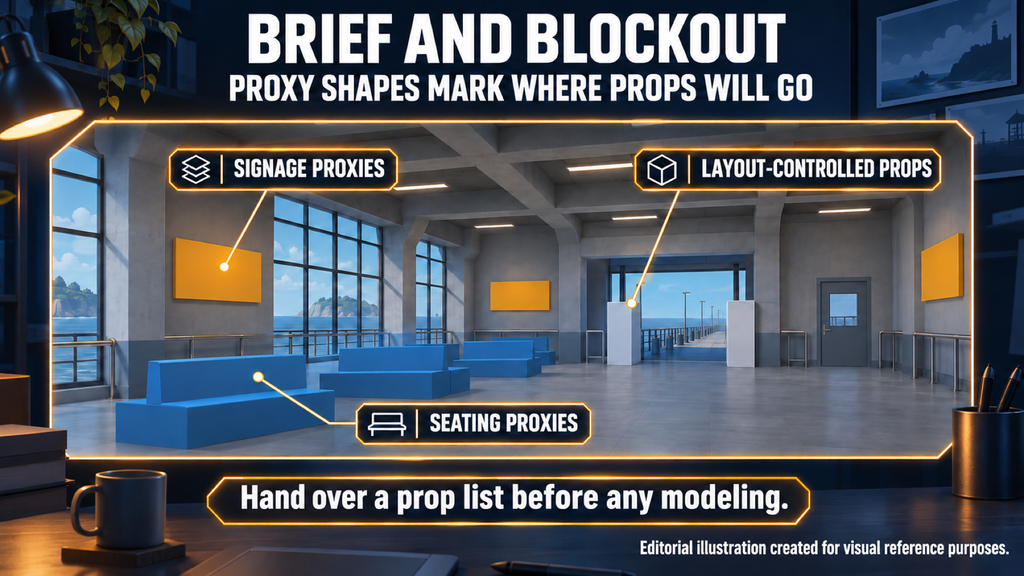
Before the blockout settles, give the partner a prop list, references and sizes rather than modeling work. Modeling starts with props that do not depend on the layout.
The level brief sets out what the level must do in play. In the 80.lv walkthrough, it is presented at a kickoff to concept artists, level designers and environment artists. If a props partner will build a large part of the level’s props, this is the earliest point where a short briefing pays off: the partner learns the setting and its themes, and can collect references and raise questions before any asset exists.
The blockout and the proxy phase turn the brief into a list. Simple shapes show where props go, how large they are and which ones block paths or provide cover. That is the moment to write the prop list down, grouped by theme or area, with rough sizes, a priority for each group and a note on which props the layout still controls. If you need a format, start from a props asset list template and add one column for the stage that unblocks each group.
What can a partner model this early? Props whose size and role do not depend on the layout: equipment that appears in several rooms, furniture with a known footprint, small items placed on surfaces. Props that define a path, a sightline or a cover position wait until the designers stop moving walls. Proxies stand in for them, so play can be tested without final art. In the ferry terminal, the waiting-hall seating and wall signage can start early, while the ticket gates wait, because they decide how players move through the hall.
The same list feeds your own planning. Teams that inventory a zone before production already separate modular architecture, unique pieces and props; the props part of that inventory is what the partner receives, with the layout-controlled items marked.
Production Concepts: Calibrate One Themed Set First
“Editorial illustration created for visual reference purposes. It does not represent a real project, client work, or official software screenshot unless stated otherwise.”
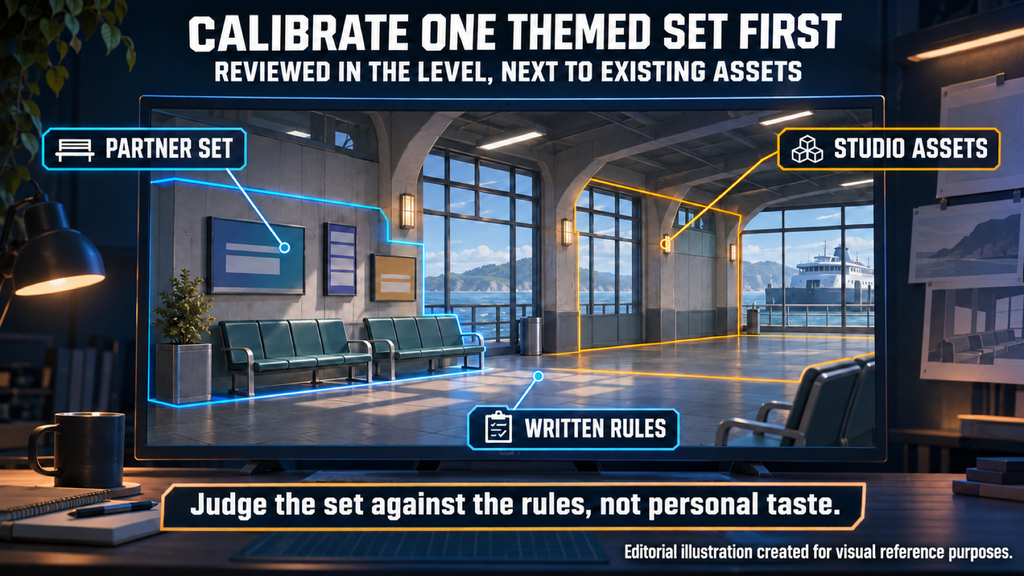
The studio sets the rules, and the partner proves them on one themed set before scaling. That set becomes the reference for every batch that follows.
If you are the art director or environment lead, this is the stage that needs you most. Production concepts answer the design questions modelers would otherwise ask item by item. For props, those answers are shape language, materials, wear and how much detail each class of prop gets. Write them into the art bible as rules, not only as images, so that a second team can apply them without checking every item with you.
Then choose one themed set, a group of props that share a room or a function, and have the partner build it first. Themed sets suit this because they map to rooms, so the set can be judged in the space it is made for. In the ferry terminal, that first set is the waiting-hall seating and signage. Review it inside the level next to your own assets, not on a turntable in isolation. Once it is approved, it becomes the reference: later batches are checked against it, and the partner scales the rest of the list from it.
In that review, judge the set against the written rules rather than against personal taste. Check whether the shapes, materials and wear sit with the props your team already built, whether the detail level fits each prop’s class and whether the set still reads at the distance players will see it. Record every decision that applies to more than one prop, so the next batch starts from it. When we join a prop set that already exists, we start the same way: a calibration batch is delivered and reviewed before we scale up.
Final Assets: Run Two Streams Without Blocking Each Other
In final production, the studio finishes props tied to the layout, gameplay and modular architecture, while the partner works through themed sets in an agreed order. The order matters as much as the size of each share.

By now the layout is stable enough for two streams. One workable division is for the environment team to keep props that belong to the level’s structure or gameplay: cover, interactive objects, pieces that must line up with modular walls and floors, and the few focal items the art direction depends on. The partner takes the themed sets and the dressing that fills rooms once the structure is in place. Where the line falls is a decision for each level, and the difference between hero and environmental props is a practical starting point for drawing it.
Agree the order of batches with the level’s schedule, not with whichever set is easiest to start. Rooms that reach review first need their sets first. Props that appear in many rooms come early, because every later room depends on them. A set that waits on an open design question goes last, or stays with the studio until the question closes. In the terminal, signage comes first because it appears in every area, and the pier fittings come last while the boarding route is still under review.
When the streams block each other, the cost rarely shows up on a single invoice. A level team waiting for props it could have placed loses review slots, and a partner waiting for answers loses momentum on the batch. Each late answer becomes another review round on both sides. For a producer, that is a milestone that slips while nobody has missed a deadline on paper. For an art director, it is approving the same set twice because it was first reviewed before the room around it existed. A short shared list of what each side is waiting for, with an owner and a date for every item, brings these delays into view before they reach the schedule.
Set Dressing: When the Partner Works Inside the Level
A partner can place props as well as build them, if you agree build access, who dresses which areas, who approves composition and how changes are recorded.
Set dressing is where the split gets harder. Props, decals and signage are what make a space believable, and the 80.lv walkthrough notes that in production the number of props is usually limited by the team’s resources and schedule. That limit is why a partner’s share can grow at this stage: dressing is placement and composition work as much as modeling, and it competes for the same people who are finishing the level’s structure.
Large studios have handed world-building to outside artists before. A GDC Europe 2013 session by Chris Mielke of Epic Games described worlds for Gears of War, Infinity Blade and Fortnite crafted by external artists under the guidance of Epic studio staff. The session description confirms that this way of working exists at that level; it does not say how any single level was divided, and we do not read that into it.
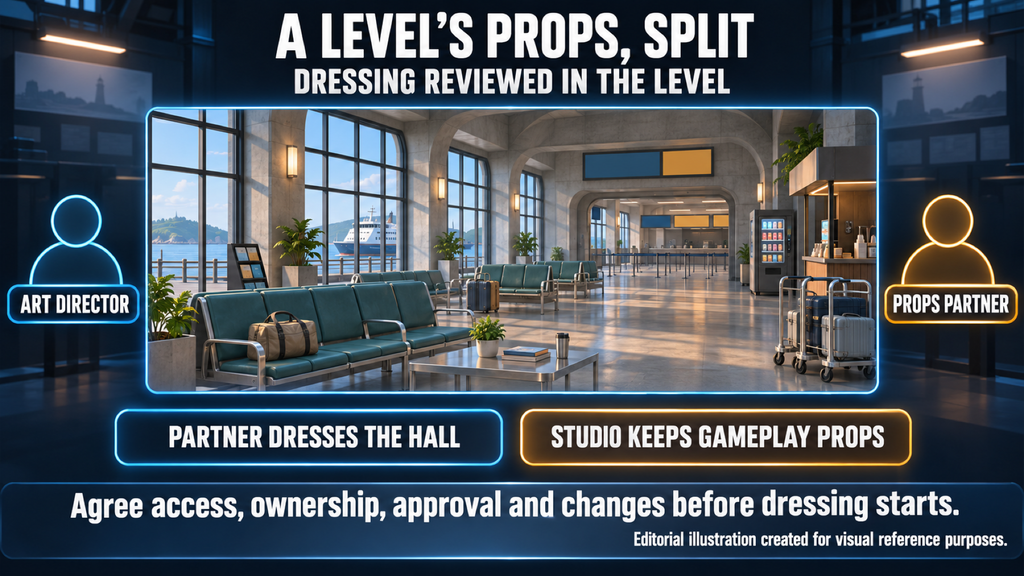
Before a partner works inside your level, agree four things. Access: which build, which tools and which parts of the level the partner can edit. Ownership: which areas or layers the partner dresses and which stay with your team. Approval: who signs off composition, and whether review happens in the editor or from captures. Changes: how edits are recorded, so a placement fix does not overwrite your team’s work. In the terminal example, the partner dresses the waiting hall, and the studio keeps the ticket hall, where props mark the route players take.
Without those agreements, dressing creates rework instead of saving time. Props placed without your composition rules get moved again, and a room that looked finished needs another pass from the very people the partner was meant to free up. Treat placement as a deliverable with its own review gates for outsourced art, not as a favor added to the last batch.
Polish and Lighting: Close the Boundary Before the Milestone
Lighting and polish expose problems in props that looked finished. Decide in advance what counts as a fix and what counts as a change, and close the open list before the milestone.
Lighting passes run through production, but the late ones judge props under final conditions. A material that read well in review looks wrong under the level’s light, a prop pulls attention from the scene’s focal point, a set needs one more variant. These requests are normal. The problem is when they arrive without a rule for who handles them and how.
If you are the producer, agree two categories before polish starts. A fix brings an approved prop back to the agreed spec and stays inside the batch. A change adds or redesigns something, and goes through the same estimate and approval as new work. In the terminal, a sign in the wrong approved color is a fix; a new sign that the revised layout now needs is a change. Without that line, polish is where late changes turn into scope creep.
Close the boundary with one open list per level: every pending item, who owns it, whether it is a fix or a change and whether it blocks approval. A date helps track an item, but it does not unblock one. The level’s props are done for the milestone when every blocking item is closed and every remaining item has been explicitly deferred by the studio, with an owner and a target milestone. After that, approved sets stay closed unless a change is approved.
A Level’s Props, Split: A Filled-In Example
“Editorial illustration created for visual reference purposes. It does not represent a real project, client work, or official software screenshot unless stated otherwise.”
Here is the full split for the fictional ferry terminal used throughout this article, stage by stage.
Illustrative example, not a client project.
| Stage | Studio’s environment team | Props partner | What passes between them |
| Brief and kickoff | Sets the terminal’s role in the level and its three areas | Collects references for seating, signage and pier fittings | Level brief, reference board |
| Blockout and proxies | Blocks out paths and cover; marks props the layout controls | Plans sets and batch order from the list | Prop list by area, rough sizes, priorities |
| Production concepts | Approves rules for shape, materials and wear | Builds the waiting-hall seating and signage as the calibration set | Concepts, art bible rules, calibration feedback |
| Final assets | Builds cover, gates, ticket machines players use and modular wall pieces | Builds the ticket-hall and pier sets in the agreed order | Approved batches, list of open questions |
| Set dressing | Places gameplay props and approves composition | Dresses the waiting hall in the build under agreed access | Placement notes, composition sign-off |
| Polish and lighting | Runs lighting passes, logs requests and decides what is deferred | Handles fixes; estimates changes | Open list: blocking items closed, deferred items agreed |
The partner’s share grows from references, to whole sets, to one dressed area, while the studio keeps whatever the layout and gameplay still control. On another level, the same table could end with the partner dressing every area or none of them. What matters is that each row is decided before its stage starts.
Our Approach
We take on 3D prop production for game levels as a defined asset list – a prop set, a modular kit or a level’s worth of dressing – or as ongoing support across milestones. When we join an existing set, we start with a calibration batch matched to the assets you already have, and scale up once your team approves it.
Which stages we cover, which set becomes the reference and whether placement is part of the order are agreed with your team before production starts.
Our published work includes props and location support. On Starship Troopers: Extermination, a 16-player co-op FPS for Offworld Industries, our work included props, environment assets and assistance in developing game locations. The props covered interior fixtures and equipment – medical tables and surgical instruments, office furniture, monitors and control panels – all produced in line with the project’s technical requirements and visual style.
Planning Props for a Level?
Send us the level brief, your prop list or blockout, references, the target engine and platform, and what already exists in the build. Tell us at which stages you want a partner involved, and we will propose a split and estimate the agreed work. The initial consultation is free.
Request a Quote
You can also write to sales@nastyrodent.com or use our contact form. We usually reply within 1–2 business days.
Let's work
together


in mind?
From 3D characters and environments to weapons, props, concept art and game UI/UX: ten years deep, 40+ artists strong, zero fluff. Tell us what you are making and get a free, no-pressure estimate.
estimate